What happens when you click the link?
The approach that your IT support should be providing you to keep small mistakes from becoming big problems.
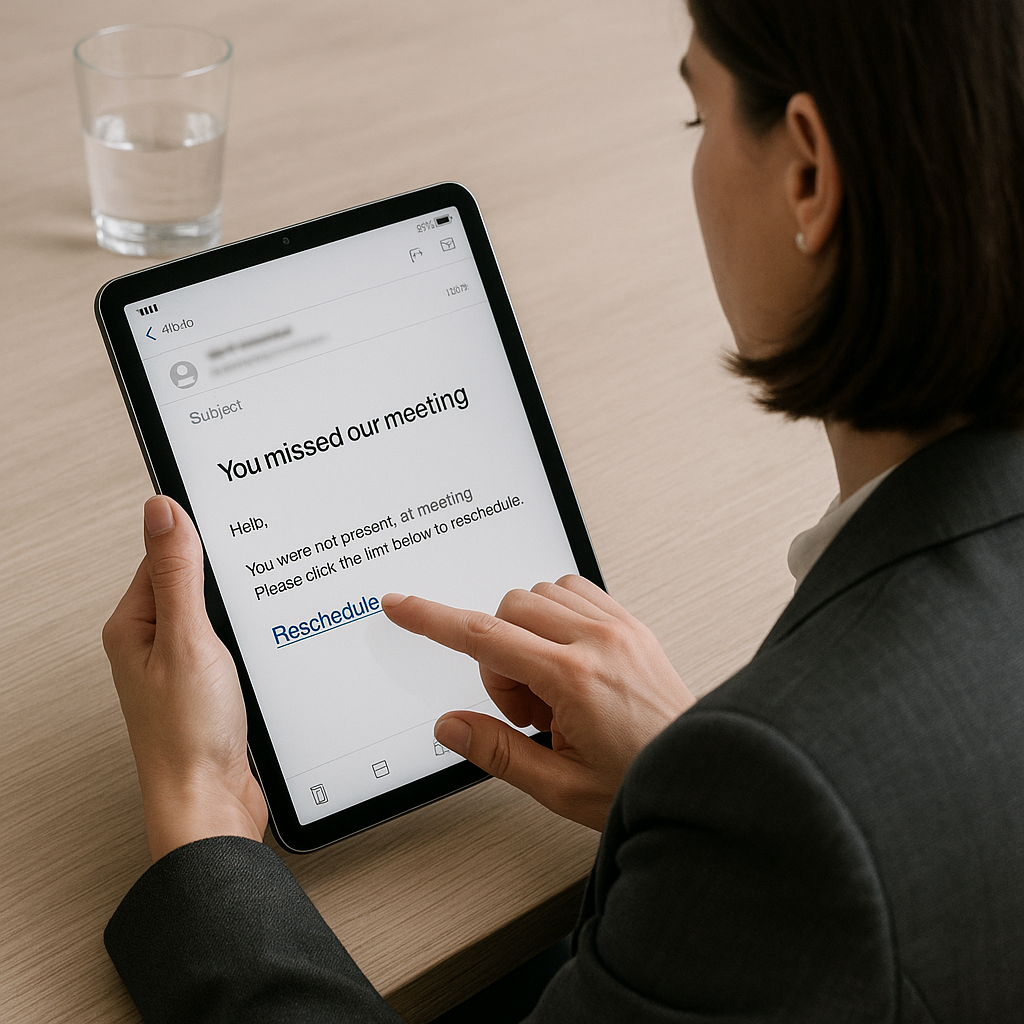
An all-too-real experience
Mary leaned back and exhaled. One client call done. On to the next.
She opened her email to check on numbers. At the top of her inbox: “You missed our meeting” from her landscaper. Odd. They’d just wrapped up a project last week.
She clicked the link to “reschedule.”
Within minutes, her inbox lit up. Hundreds of emails flew out to customers, partners, and friends with the same bad link she had just clicked.
Her phone buzzed nonstop. Panic crept in.
Mary had one thought: What do I do now?
Stepping back
This kind of attack is common. It often starts with a message that looks normal: a reschedule link, a shipping notice, a password alert. One click, and an attacker tries to log in, take over email, and spread fast.
The surprise for many leaders isn’t the link. It’s how fast a small mistake turns into a visible, client-facing problem:
- A hidden mailbox rule quietly forwards copies of invoices.
- A fake “shared document” page steals a password.
- A laptop without updates lets malware in.
- A guest Wi-Fi with loose settings opens the door wider.
Most teams aren’t careless. They’re busy. They trust their tools. And they think, “We’re small, why would anyone target us?” Attackers don’t care about size. They cast wide nets and look for easy paths through the identity, devices, and networks of the business and the people who work there.
Enterprise-grade cybersecurity: Identity → Device → Network
We believe the better way to IT starts with the people and then protects those people with the right guardrails. Our model is simple and it works:
Identity first
Your login is the front door. We lock it with strong MFA, single sign-on, and least-privilege access. We also put tripwires in place for risky mailbox changes (like sudden auto-forward rules). These steps stop most attacks before they start.
Devices that are hardened
Laptops and phones should be safe by default. We keep them updated, monitored, and ready. If a device looks risky or goes missing, we act fast. That means less drama and less downtime.
Networks that block the threats entirely
Good network design keeps problems small. Guest Wi-Fi stays separate. Sensitive systems stay protected. Remote work stays secure. You shouldn’t have to think about it every day. That’s the point.
We also design for real life. Security is monitored around the clock. If your business needs 24/7 support, we offer Pro Support Plus (available case by case). And if something ever slips through, we don’t play the blame game. We stabilize first, then strengthen. The goal is simple: fewer incidents, faster fixes, and calm teams.
Mary’s story has a better ending when these three layers are in place. The fake email might still arrive, but the login fails, the device blocks it, or the network contains it. Instead of panic, it becomes a quick “nice try.”
Why this matters
IT should feel invisible when it’s working and human when it’s needed. Your people deserve tools that protect them without getting in their way. Your business deserves a partner who measures success by outcomes, not ticket counts.
Next week
We’ll go deeper on Identity Security: how attackers really get in, how to spot it early, and the quick wins that make a big difference.